Nineteen tracks on one screen.
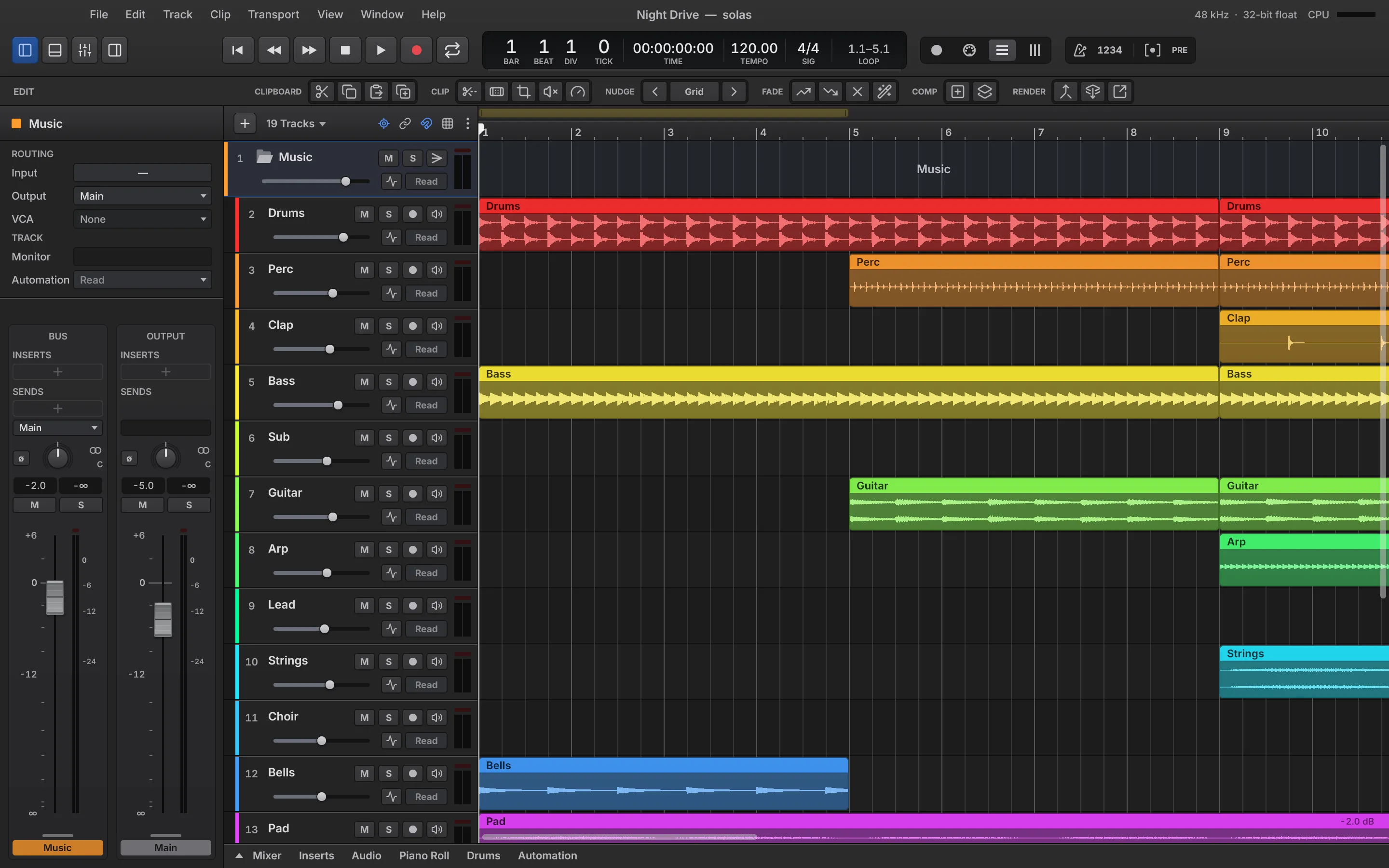
Record, edit, comp and mix.
Solas is a professional DAW for macOS, Windows and Linux. It records, edits, comps and mixes with a fast, focused workflow, and it hosts every plug-in you already own.
One purchase covers every future version. There are no paid upgrades.
No loops or bundled instruments to download or pay for. You use the plug-ins and sounds you already own.
Channels route straight to other channels, so there's no bus 7 to remember.
Projects open and save as DAWproject files, an open format, so your work can move to another DAW.
These come from our own test runs on an M4 Max, in a release build at 48 kHz with a 512-sample buffer. The idle figure is from a debug build, so it should be lower in the shipped app.
What has landed so far, newest first. Dates are when each feature was first committed.
A solo can now dim the other channels instead of muting them, bus, FX and VCA strips have colored caps, and instrument tracks have a Live monitor switch.
A dedicated audio editor with clip properties and waveform tools, and a way to turn a played line into notes you can edit.
Open and save DAWproject files, so your work can move between DAWs.
Edit drums by instrument name, with built-in drum maps for the kits you actually use.
CLAP hosting arrives, and any plug-in can run in a process of its own so a crash can't take the session with it.
ARA2 plug-ins work in the timeline, and take lanes gain swipe comping with slip editing.
One purchase covers every future version. No subscription, no paid upgrades, and no content library you pay for and don’t use. Sign up for launch news to get the founders’ price.
Record as many passes as you like, each on its lane. Swipe across the best parts to build the comp.
The comp on top, the takes beneath it.
Every pass is kept on a lane of its own. Nothing is thrown away until you say so.
Swipe across your takes to assemble a comp, then fine-tune the joins with slip editing.
Punch in and out while the music plays, with the takes caught safely behind you.
Audio is written to disk as you play, so a crash doesn't cost you the take.
Notes by hand, drums by instrument name, parts from audio. Then send the score on as MusicXML.
Draw, select, quantize and humanize notes, with a velocity lane underneath.
Edit drums by instrument name, with drum maps built for the kits you actually use.
Turn a played line into notes you can edit, transpose and re-voice.
Map any knob, fader or button on your controller to what you're working on.
Send notation to your score editor without retyping a bar.
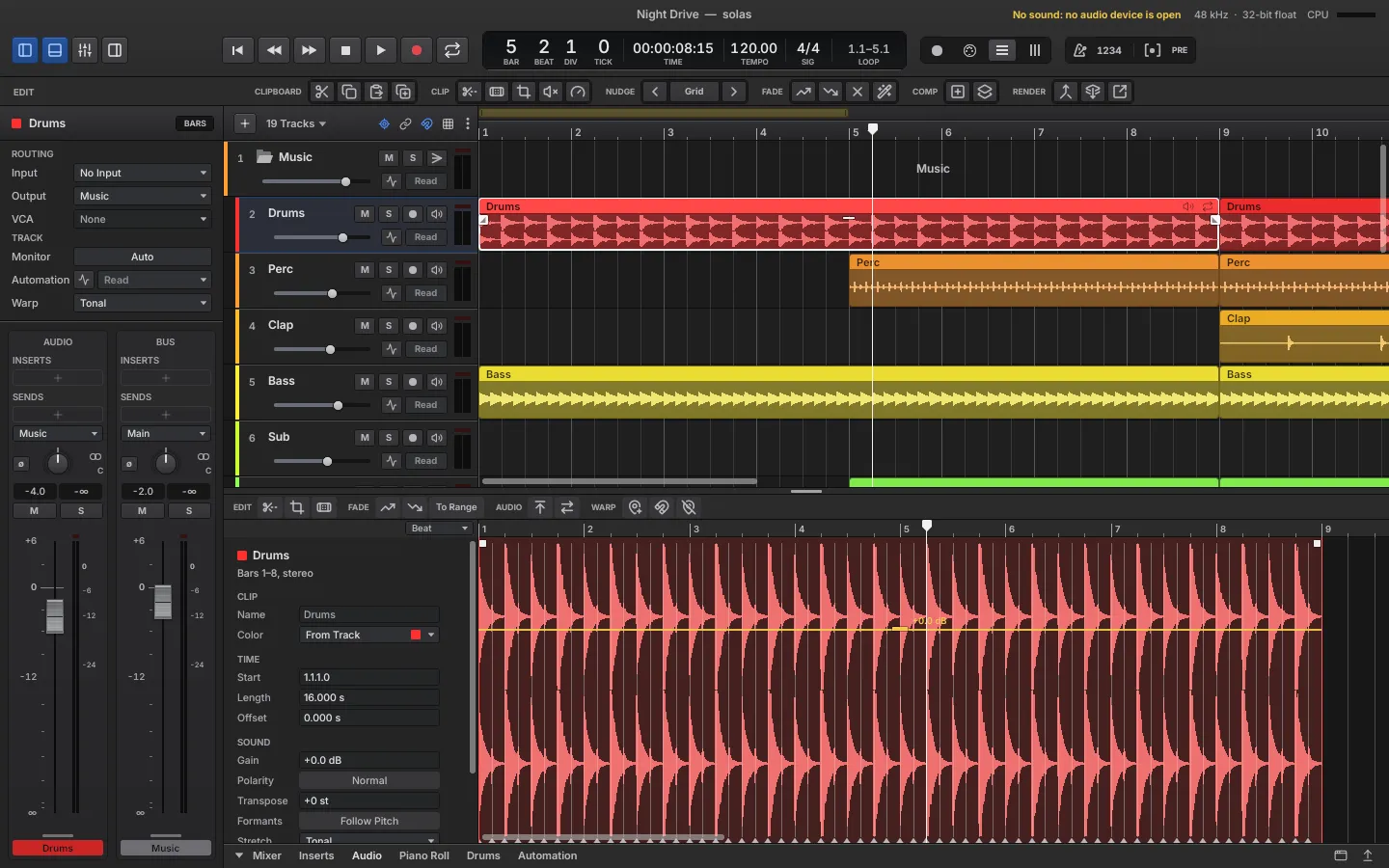
The audio editor sits under the arrangement. Stretch, loop, fade and tighten without leaving the clip.
Clips follow the tempo, or stretch one by hand and keep the pitch where it belongs.
Fade a clip's edges, loop it and set its level, right on the clip.
Find the hits, strip the gaps, and tighten a performance without leaving the clip.
Make room in a song, or close a gap, across every track at once.
Inserts, sends, VCAs and folders on every strip. No bus numbers, and a loudness readout while you play.
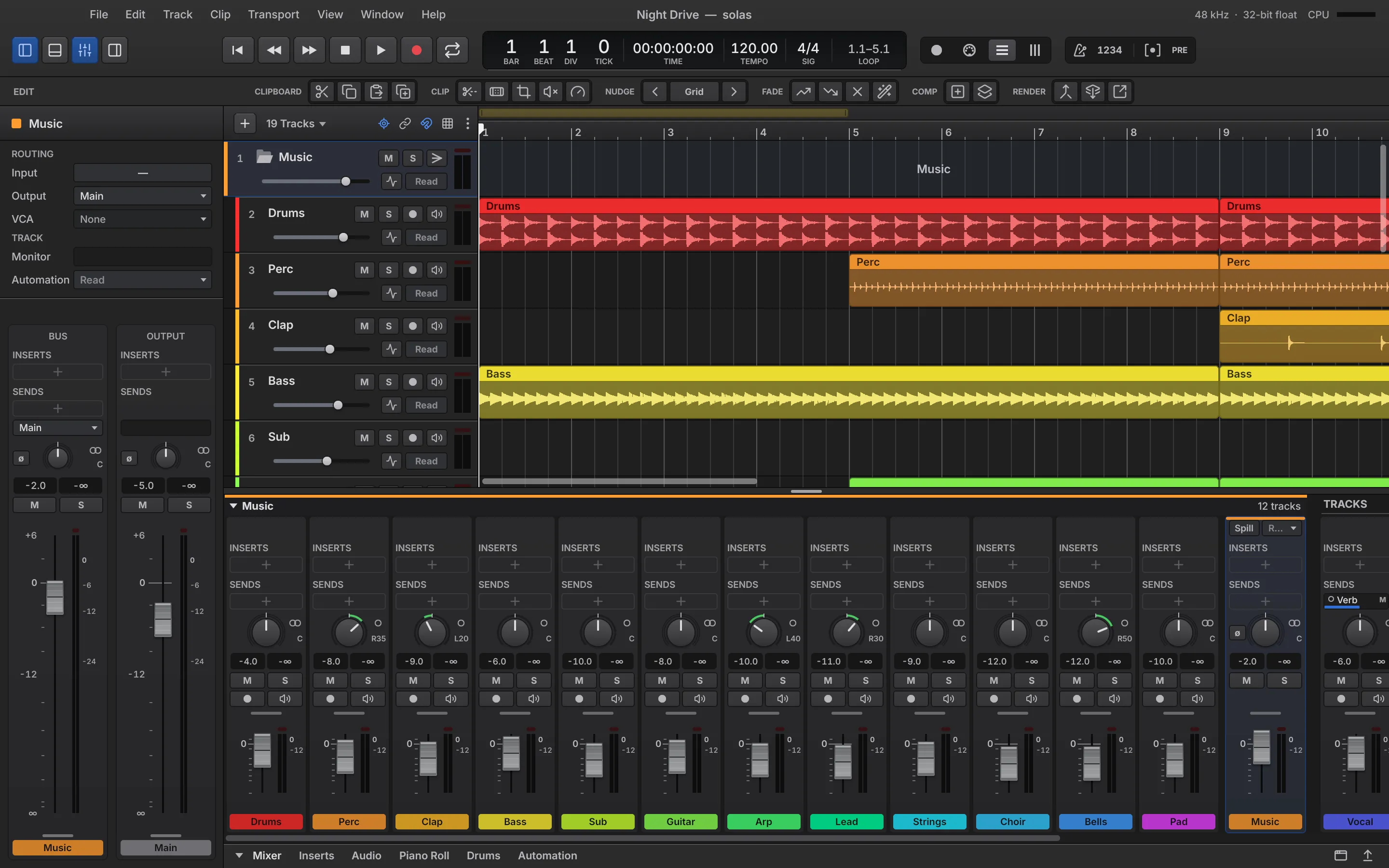
Send any channel straight to any other. There are no numbered buses to keep track of.
Every strip has a rack of inserts, sends with levels of their own, pan, and meters you can read at a glance.
Duck one track with another, ride a group with a VCA, and fold busy sessions into folders.
Render a heavy track to audio and unload its plug-ins to give your processor room. Thaw it any time, and nothing is lost.
Watch programme loudness, momentary loudness and true peak as you play, and read the loudness of every mixdown.
Solas hosts VST3, CLAP and Audio Units (on macOS), with ARA2 on top. Any plug-in can run in a process of its own.
A plug-in that misbehaves is caught before it takes your session with it. Run any plug-in in a process of its own.
Melodyne and other ARA plug-ins work in the timeline, sharing the audio with Solas instead of capturing it.
Scan, sort and see what's installed, with each plug-in's state and a preview before you load it.
Solas has no sample library to download or pay for. That effort goes into hosting what you already own.
Familiar shortcuts for editing, navigating and mixing, so your hands rarely leave the keys.
Switch between record, MIDI, edit and mix with the panes arranged for each.
Sketch the structure of a song and move whole sections around.
Put the mixer or an editor on a second screen whenever you like.
If the worst happens, your work comes back at the next start, even for a project you hadn't saved yet.
The interface redraws only when something changes, so Solas stays out of the way of your processor.
Open and save DAWproject files, an open format, so your work can move between DAWs.
Audio processing is tested offline against known results, and callback timing is reported.
Solas is one codebase for macOS, Windows and Linux. Every pixel of the interface is drawn by Solas itself, so it looks and feels the same wherever you work, and your muscle memory moves with you.
Solas is in development and isn't on sale yet. Sign up for launch news and we'll tell you as soon as early access opens.
Early sign-ups get a founders' price of $49. The price at release will be $79. It's a one-time purchase that covers every future version, with no subscription and no paid upgrades.
macOS, Windows and Linux, from one codebase, with the same interface on each.
VST3 and CLAP on all three platforms, Audio Units on macOS, and ARA2 (for tools like Melodyne) through those formats.
No. Solas is a DAW without a bundled content library, so you only pay for the software and use the plug-ins and sounds you already have.
Yes. Solas opens and saves DAWproject files, an open format, so your projects aren't locked in.
We haven't announced one yet. Sign up and we'll let you know.
We use it only to send you news about Solas and other Ogham Audio products you've signed up for, and you can unsubscribe in any email. See the privacy policy.
One email when early access opens, with the founders’ price. Nothing before that.